Cyberpunk Rainy Night Robot Repair
Sci-Fi & Tech prompt · by RoseKhlifa · published 2026-06-09
Prompt
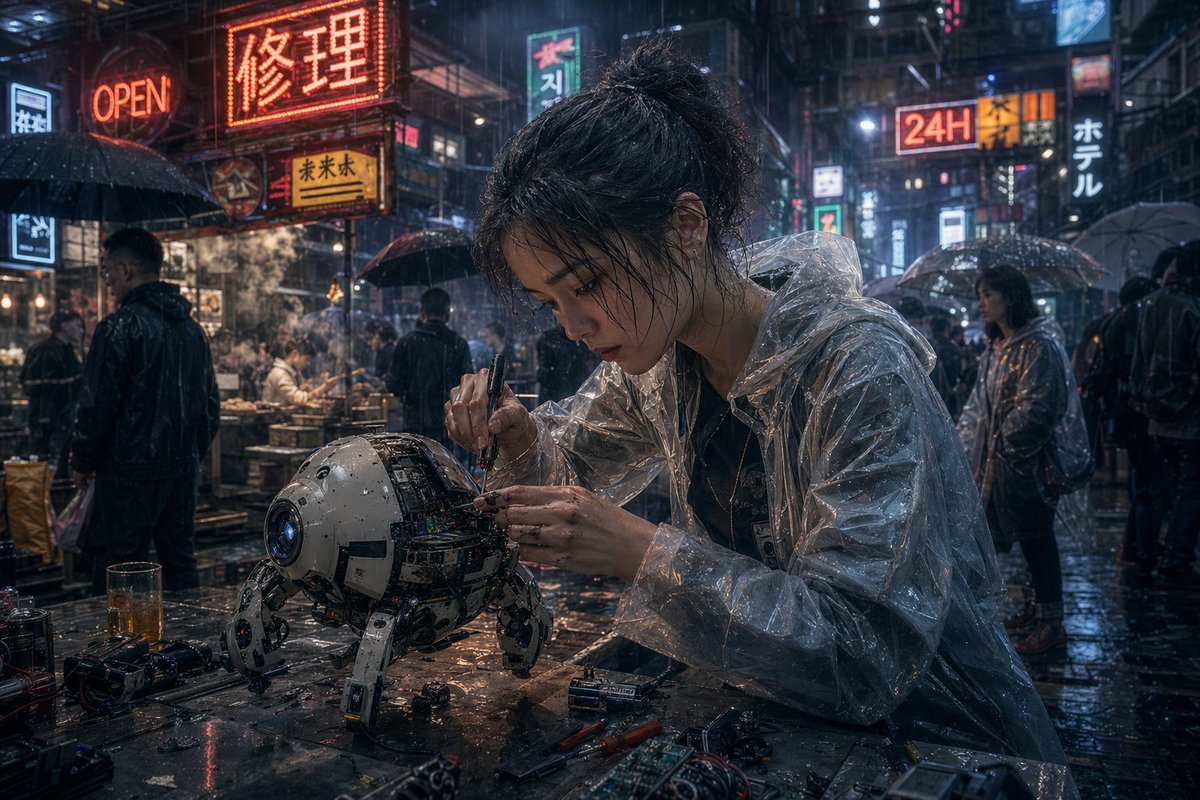
A cinematic cyberpunk street scene at night in heavy rain, ultra-detailed and photorealistic. In the foreground, a young East Asian woman mechanic with messy dark hair tied in a loose bun sits at a wet metal worktable, leaning forward with intense concentration as she repairs a small spherical quadruped robot. Her face is obscured by a centered square censor blur. She wears a transparent plastic rain poncho over dark clothing, the glossy folds catching neon reflections. In one hand she holds a precision screwdriver and with the other she adjusts exposed wiring and circuitry inside the robot’s open shell. The robot is compact and worn, about the size of a small dog, with a white and gray rounded body, a blue camera-like lens for one eye, visible internal electronics, scratches, grime, and four articulated mechanical legs planted on the table. Scatter the tabletop with exact repair clutter: 2 screwdrivers, 2 batteries, 1 circuit board, 1 small camera or lens module, loose screws, wires, and a half-filled glass of amber liquid. Surround them with a dense neon-lit East Asian alley market full of rain-slick pavement, steam from food stalls, and pedestrians carrying umbrellas. Include at least 8 visible illuminated signs layered into the background, including a large red sign reading {argument name="main neon sign" default="修理"}, an orange sign reading "OPEN", a bright sign reading "24H", a vertical sign reading "ホテル", and additional mixed Chinese, Japanese, and Korean-style shop signs. Show several background figures in dark rainwear and translucent ponchos, some faces softly blurred by depth of field. Use moody blue-and-orange lighting, glossy reflections, mist, volumetric rain, shallow depth of field, dramatic bokeh, anamorphic highlights, high texture detail, gritty realism, and the feeling of a lone street technician fixing advanced hardware in a bustling futuristic city.Example output
Sci-Fi Tech
How to use this prompt
- 1. Copy the full prompt text above.
- 2. Paste it into your image model — Midjourney, DALL·E, Stable Diffusion, or GPT Image.
- 3. Replace the subject, style or lighting words with your own to adapt it.
- 4. Adjust aspect ratio and steps in your tool; the prompt itself is tool-neutral.
- 5. Iterate on one variable at a time so you can tell which change mattered.