Coast Science Fiction Communication Base
Sci-Fi & Tech prompt · by RoseKhlifa · published 2026-06-09
Prompt
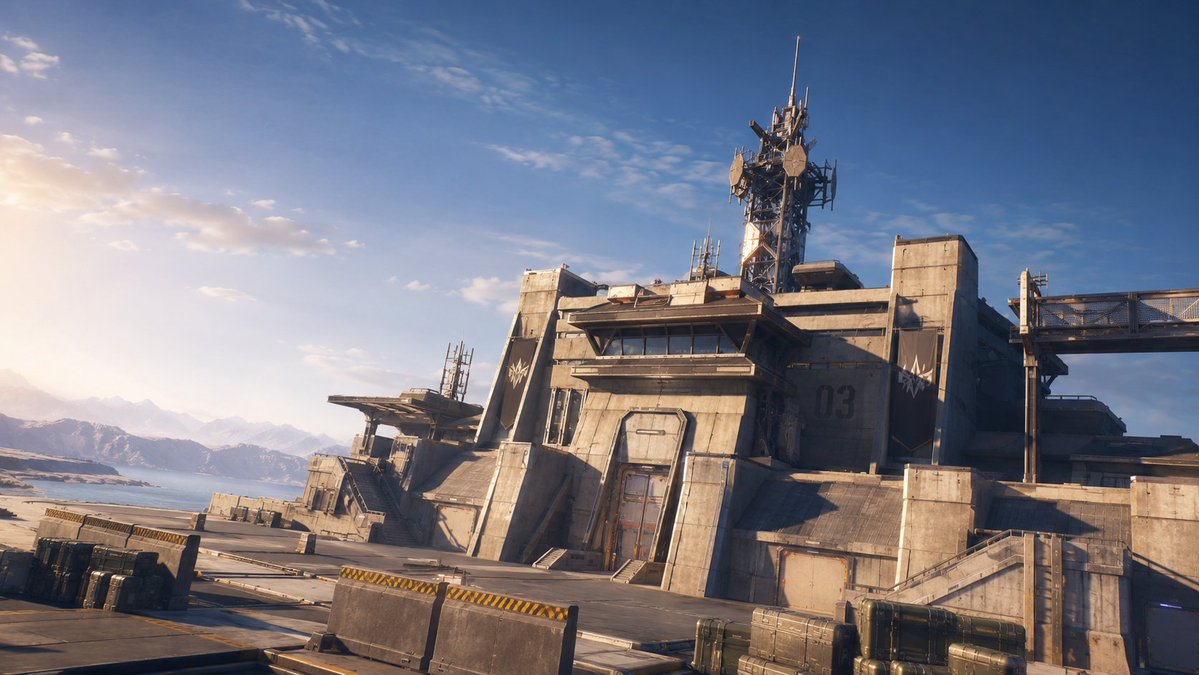
Create a wide cinematic sci-fi environment concept art scene of a massive concrete-and-metal military communications base on a coastal mountain plateau. The camera is low and slightly tilted, using a 16:9 widescreen composition, looking across an empty industrial landing pad toward angular brutalist buildings. The main structure sits right of center: a fortified bunker-like complex with sloped concrete walls, armored panel seams, a tall central doorway, narrow dark horizontal windows, industrial stairs and ramps, and a large painted number {argument name="building number" default="03"} on the right wall. On the roof, place a tall lattice communications tower crowded with antennas, satellite dishes, vertical masts, cables, and signal equipment. Add a smaller outbuilding to the left with its own antennas, plus a raised bridge or catwalk extending from the right side of the base. In the foreground include exactly 7 discrete industrial objects: 3 rectangular cargo crates on the far left, 2 low concrete barricades with yellow-and-black hazard stripes in the center, and 2 greenish metal equipment cases on the lower right. The setting is a remote coastline with a calm ocean and hazy snow-capped mountains visible on the left horizon. Lighting is golden-hour sunrise or sunset from the far left, creating warm rim light, long shadows, lens haze, and a bright washed-out glow near the horizon. Use a realistic AAA video game / cinematic concept art style, highly detailed hard-surface design, weathered beige-gray concrete, metal grime, subtle panel lines, bolts, vents, railings, and no people or vehicles. Keep the sky deep blue overhead with sparse wispy clouds, high dynamic range, sharp architectural detail, atmospheric depth, and an epic near-future military outpost mood.Example output
Sci-Fi Tech
How to use this prompt
- 1. Copy the full prompt text above.
- 2. Paste it into your image model — Midjourney, DALL·E, Stable Diffusion, or GPT Image.
- 3. Replace the subject, style or lighting words with your own to adapt it.
- 4. Adjust aspect ratio and steps in your tool; the prompt itself is tool-neutral.
- 5. Iterate on one variable at a time so you can tell which change mattered.