Dark Cyber Genie with Crimson Blade
Sci-Fi & Tech prompt · by RoseKhlifa · published 2026-06-09
Prompt
A dark ultra-detailed anime cyber-gothic portrait of a {argument name="character type" default="female elf warrior"} in a three-quarter side profile, framed from upper thighs to head, standing in a ruined futuristic industrial city. She has a short blunt bob in {argument name="hair color" default="silver-white"}, pale skin, long sharp elf ears, and a calm cold expression with one visible glowing {argument name="eye color" default="crimson red"} eye. Her hair is windswept across her face, and she wears a black star-shaped metallic hair ornament near one temple. Outfit is a sleek black biomechanical armored dress with glossy obsidian surfaces, spiked and layered plates, torn lace-like textures around the shoulders and chest, and intricate demonic exoskeleton detailing. One arm is heavily armored into a massive organic-mechanical gauntlet. She holds or merges with an enormous jagged living sword crossing diagonally from the lower left foreground toward her torso; the blade is black metal with glowing veins, embedded red cores, and violent molten energy bursting through it like liquid fire. Red energy ribbons, sparks, smoke, and ember-like particles swirl around her body and weapon. The background is a vertical dystopian megastructure filled with black steel towers, cables, hanging chains, fragments of red holographic code, occult-tech insignias, and faint industrial symbols, all mostly swallowed by shadow. Use a black and deep crimson palette with extreme contrast, glossy highlights, sharp rim light, dramatic backglow behind the head, dense detail, chaotic painterly effects, and a grim apocalyptic atmosphere. Composition should feel like premium dark fantasy key art, highly polished, cinematic, intimidating, elegant, and explosive.Example output
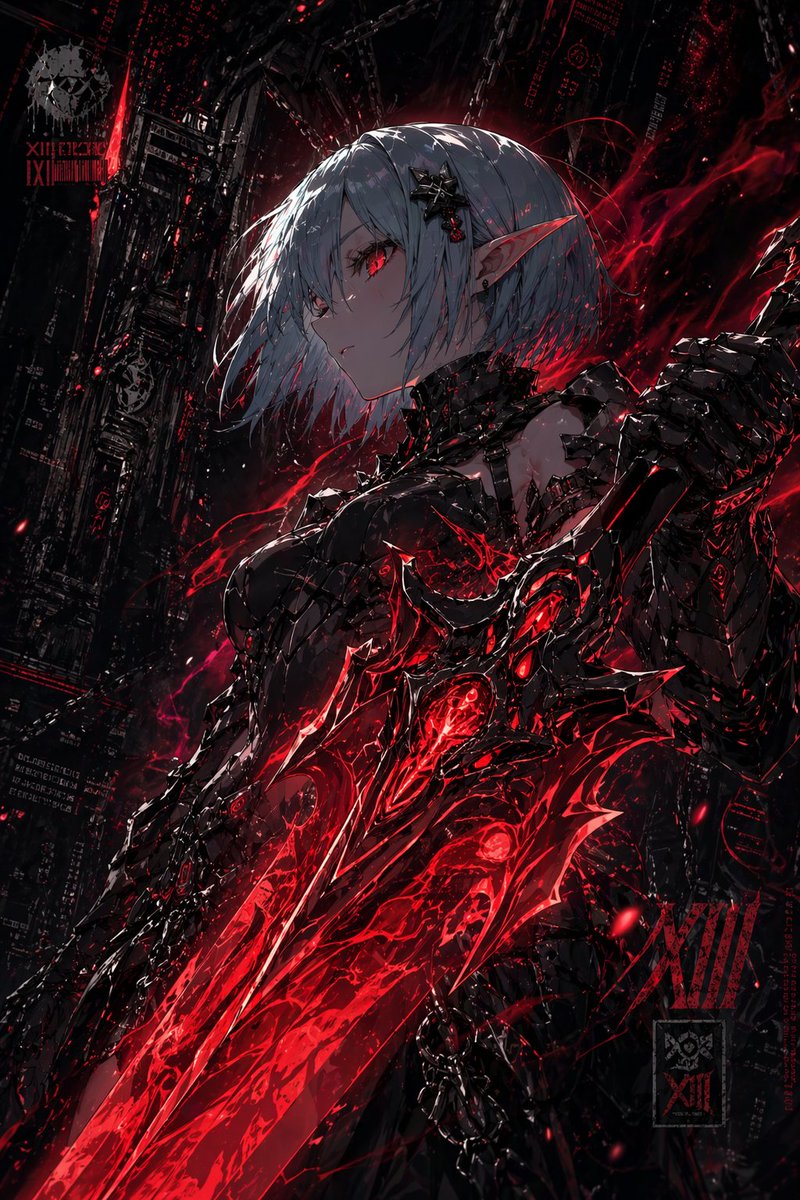
Sci-Fi Tech
How to use this prompt
- 1. Copy the full prompt text above.
- 2. Paste it into your image model — Midjourney, DALL·E, Stable Diffusion, or GPT Image.
- 3. Replace the subject, style or lighting words with your own to adapt it.
- 4. Adjust aspect ratio and steps in your tool; the prompt itself is tool-neutral.
- 5. Iterate on one variable at a time so you can tell which change mattered.