Multi-angle studio character setting picture
Character prompt · by RoseKhlifa · published 2026-06-09
Prompt
Using the provided reference image, generate a {argument name="number of panels" default="4"}-panel studio-style character sheet. Transform the black-and-white reference into full color, applying natural skin tones and black hair. Remove the original environment and place the subject against a {argument name="background color" default="plain grey"} background with {argument name="lighting style" default="clean, neutral studio lighting"}. The generated grid must show the exact same character, wearing the preserved white lace camisole and heart necklace, in {argument name="number of panels" default="4"} distinct poses: 1) straight-on front view, 2) right profile view, 3) left 3/4 view looking over the shoulder, and 4) right 3/4 view looking slightly down.Example output
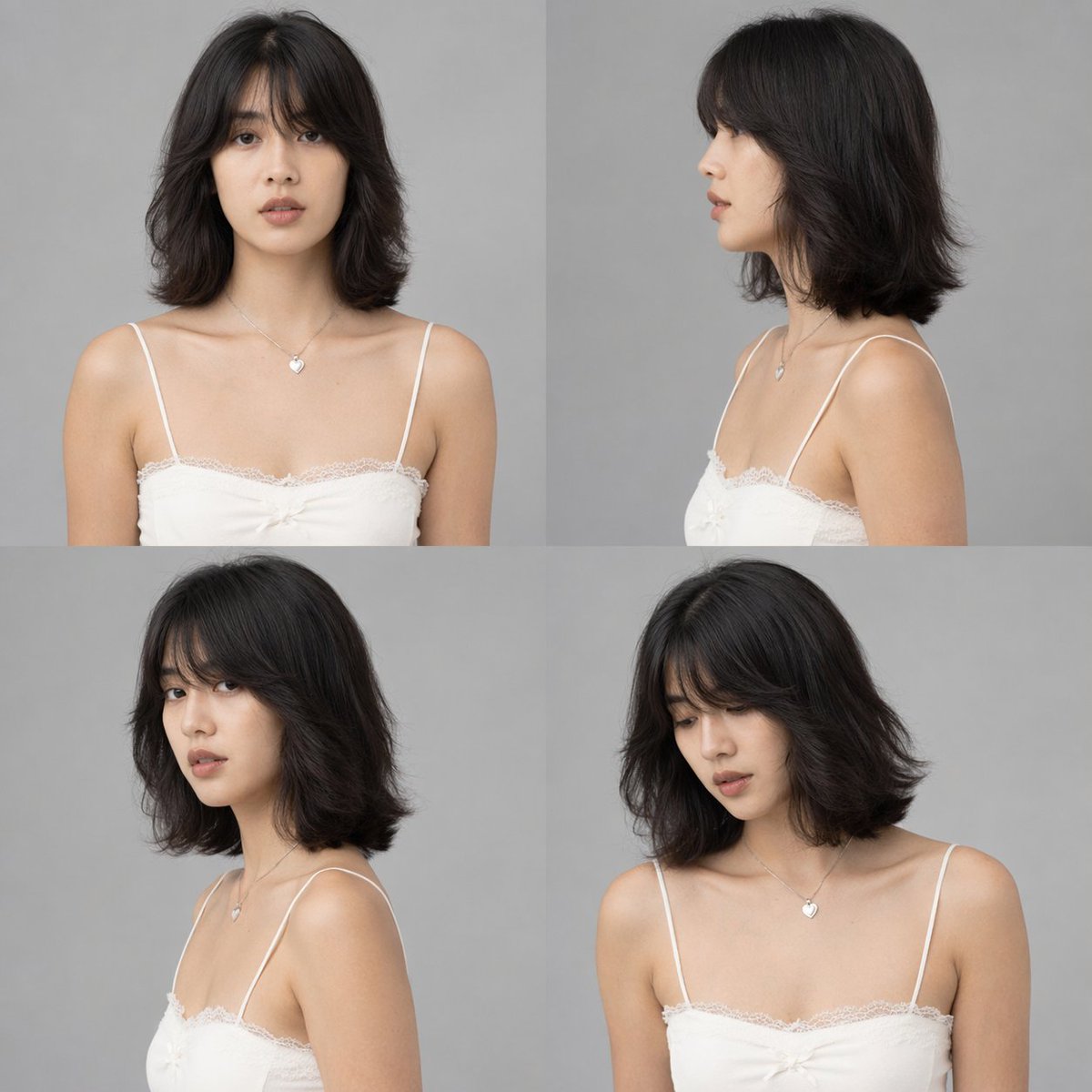
Character
How to use this prompt
- 1. Copy the full prompt text above.
- 2. Paste it into your image model — Midjourney, DALL·E, Stable Diffusion, or GPT Image.
- 3. Replace the subject, style or lighting words with your own to adapt it.
- 4. Adjust aspect ratio and steps in your tool; the prompt itself is tool-neutral.
- 5. Iterate on one variable at a time so you can tell which change mattered.