Cinematic narrative scene map
Character prompt · by RoseKhlifa · published 2026-06-09
Prompt
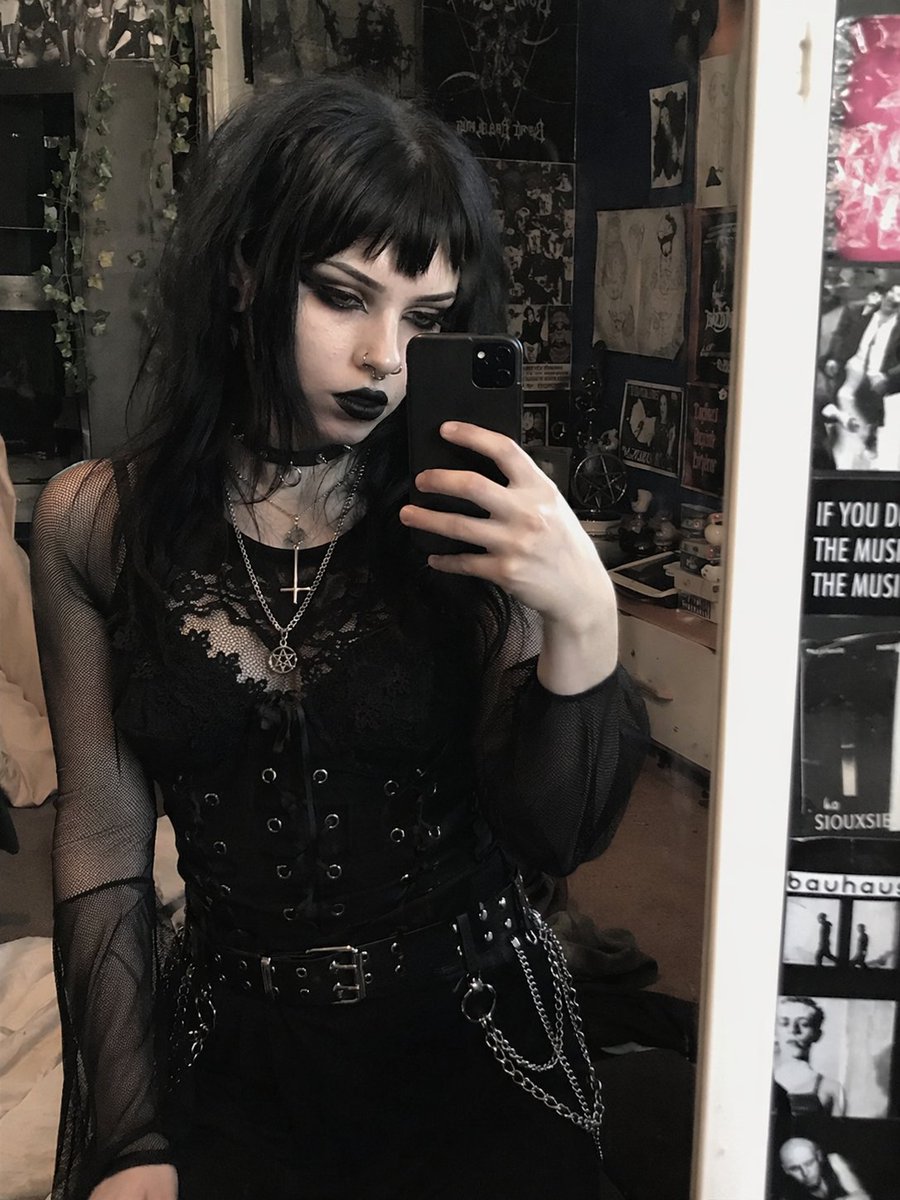
Using REFERENCE_0, transform the subject's appearance to a {argument name="style" default="trad goth"} aesthetic while preserving the exact pose, clothing structure, and background. Change her hair to {argument name="hair color" default="black"} with {argument name="hair style" default="choppy bangs"}. Apply heavy dark makeup, specifically {argument name="lip color" default="black"} lipstick and intense dark eyeshadow, and make her skin tone slightly paler. Add 2 facial piercings: a septum ring and a nostril stud. Finally, modify her layered necklaces to feature {argument name="necklace pendants" default="an inverted cross and a pentagram"}.中文版本
Using REFERENCE_0, transform the subject's appearance to a {argument name="style" default="trad goth"} aesthetic while preserving the exact pose, clothing structure, and background. Change her hair to {argument name="hair color" default="black"} with {argument name="hair style" default="choppy bangs"}. Apply heavy dark makeup, specifically {argument name="lip color" default="black"} lipstick and intense dark eyeshadow, and make her skin tone slightly paler. Add 2 facial piercings: a septum ring and a nostril stud. Finally, modify her layered necklaces to feature {argument name="necklace pendants" default="an inverted cross and a pentagram"}.Example output
CharacterSci-Fi TechFashionTechE-Commerce MarketingUi Interface
How to use this prompt
- 1. Copy the full prompt text above.
- 2. Paste it into your image model — Midjourney, DALL·E, Stable Diffusion, or GPT Image.
- 3. Replace the subject, style or lighting words with your own to adapt it.
- 4. Adjust aspect ratio and steps in your tool; the prompt itself is tool-neutral.
- 5. Iterate on one variable at a time so you can tell which change mattered.