Mac terminal world simulator·Cyber \u200b\u200bTUI interface generation
Graphic Design prompt · by RoseKhlifa · published 2026-06-09
Prompt
展示一张 {argument name="operating system" default="mac"} 桌面截图,显示一个大型终端窗口,正在终端中进行操作,并呈现出与 {argument name="topic" default="world sim"} 相关的富有表现力的 {argument name="interface type" default="TUI"} 布局中文版本
展示一张 {argument name="operating system" default="mac"} 桌面截图,显示一个大型终端窗口,正在终端中进行操作,并呈现出与 {argument name="topic" default="world sim"} 相关的富有表现力的 {argument name="interface type" default="TUI"} 布局Example output
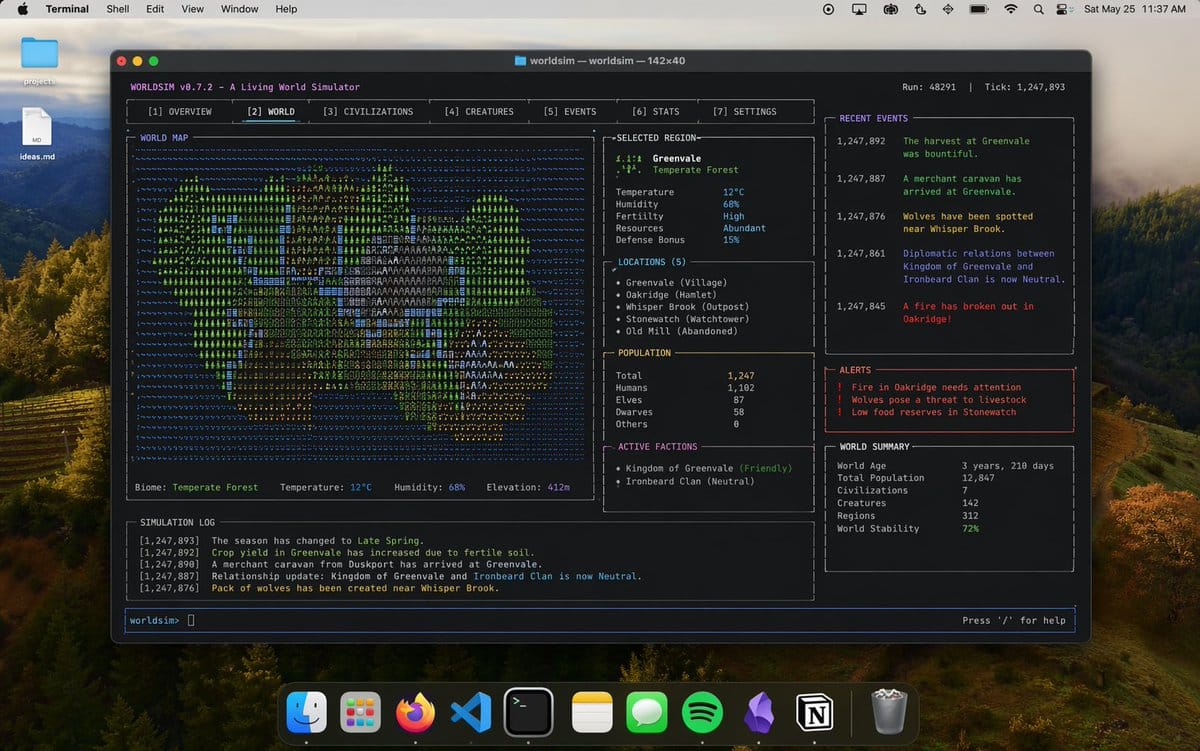
Mac TerminalWorld SimulationSci-Fi TechTUI InterfaceGraphic DesignUi Interface
How to use this prompt
- 1. Copy the full prompt text above.
- 2. Paste it into your image model — Midjourney, DALL·E, Stable Diffusion, or GPT Image.
- 3. Replace the subject, style or lighting words with your own to adapt it.
- 4. Adjust aspect ratio and steps in your tool; the prompt itself is tool-neutral.
- 5. Iterate on one variable at a time so you can tell which change mattered.