DUMBO Bridge desktop wallpaper
Other prompt · by RoseKhlifa · published 2026-06-09
Prompt
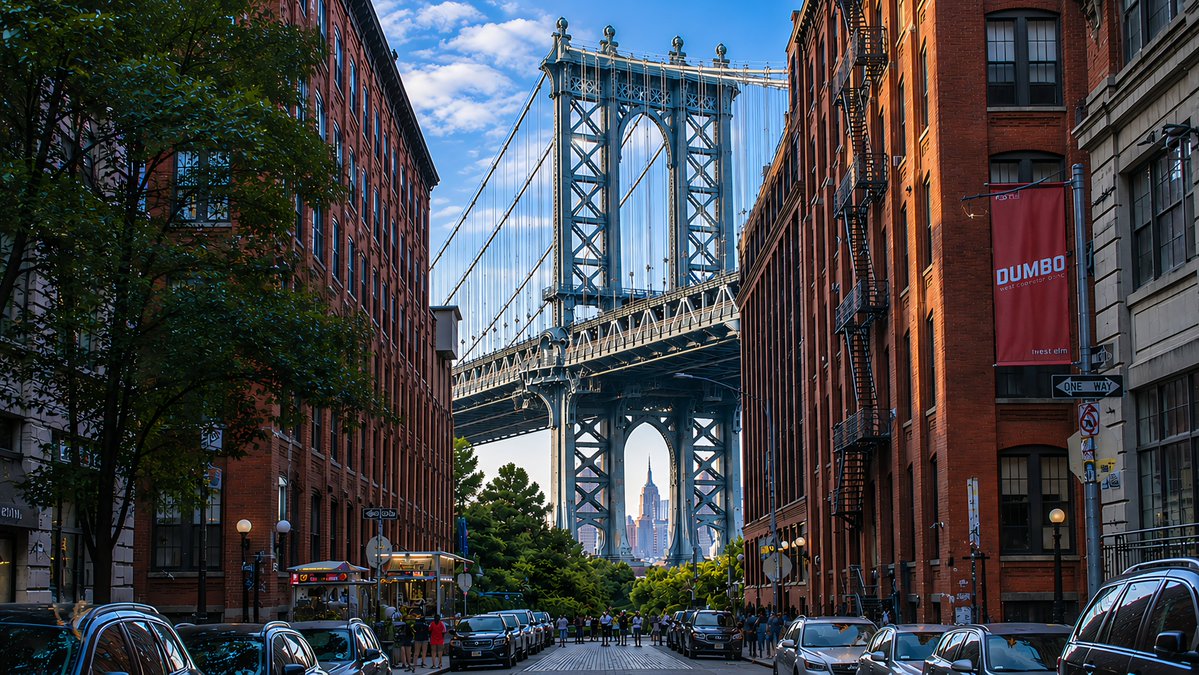
Using the provided reference image as a visual-quality and lighting reference, transform the scene into a photorealistic 16:9 desktop wallpaper of {argument name="location" default="DUMBO, Brooklyn"}. Replace the lighthouse coastline with an urban street-canyon composition: exactly 2 rows of tall red-brick warehouse buildings on the left and right, 1 large leafy tree in the left foreground, and 1 centered steel suspension bridge tower filling the background. Frame {argument name="distant landmark" default="the Empire State Building"} precisely through the lower arch of the bridge. Add 2 rows of parked cars along both curbs, a small cluster of pedestrians near the bridge approach, and wet-looking reflective street details for depth. Include exactly 2 readable street elements: a vertical red banner reading {argument name="banner text" default="DUMBO"} on the right building and a black-and-white {argument name="street sign text" default="ONE WAY"} sign below it. Preserve the reference image’s crisp high-resolution realism, blue sky with scattered clouds, rich contrast, golden side lighting, and dreamy wallpaper polish. No lighthouse, ocean, rocks, waves, or coastal buildings.Example output
Other
How to use this prompt
- 1. Copy the full prompt text above.
- 2. Paste it into your image model — Midjourney, DALL·E, Stable Diffusion, or GPT Image.
- 3. Replace the subject, style or lighting words with your own to adapt it.
- 4. Adjust aspect ratio and steps in your tool; the prompt itself is tool-neutral.
- 5. Iterate on one variable at a time so you can tell which change mattered.