Aesthetic Creator Workspace
Architecture prompt · by RoseKhlifa · published 2026-06-09
Prompt
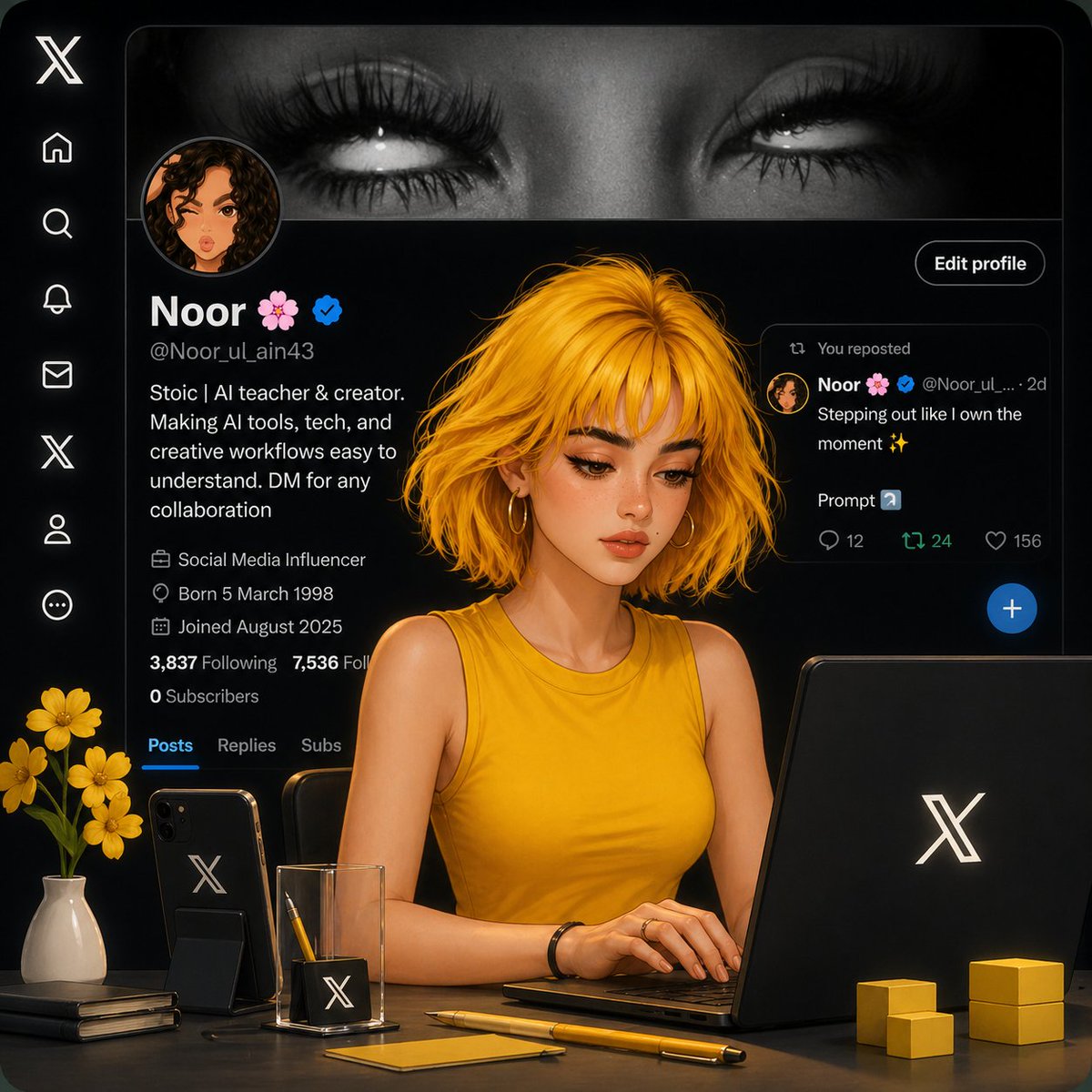
Aesthetic AI workspace scene inside an X (Twitter) profile interface, dark theme UI in the background showing a profile named "Noor 🌸" with a verified badge. In the foreground, a stylized semi-realistic digital girl with {argument name="hair style" default="short messy golden-yellow hair"} and soft glowing skin, wearing a {argument name="outfit" default="sleeveless mustard-yellow top"}, sitting at a desk and working on a laptop with the X logo.

Desk setup includes: a black smartphone with X logo, a minimal glass pen holder with pencil, a yellow pen, sticky notes, stacked notebooks, small yellow cube decor, and a {argument name="decor" default="vase with yellow flowers"}. Lighting is soft, cinematic, warm tones with high contrast against the dark UI.

Composition: centered subject, slightly angled view, sharp focus on the girl, blurred background interface. Hyper-detailed, smooth rendering, 3D + illustration hybrid style, trending on ArtStation, ultra clean, professional, cozy creator workspace vibe.
Example output
Architectural Space
How to use this prompt
- 1. Copy the full prompt text above.
- 2. Paste it into your image model — Midjourney, DALL·E, Stable Diffusion, or GPT Image.
- 3. Replace the subject, style or lighting words with your own to adapt it.
- 4. Adjust aspect ratio and steps in your tool; the prompt itself is tool-neutral.
- 5. Iterate on one variable at a time so you can tell which change mattered.