Dark mode news article UI revamp
Graphic Design prompt · by RoseKhlifa · published 2026-06-09
Prompt
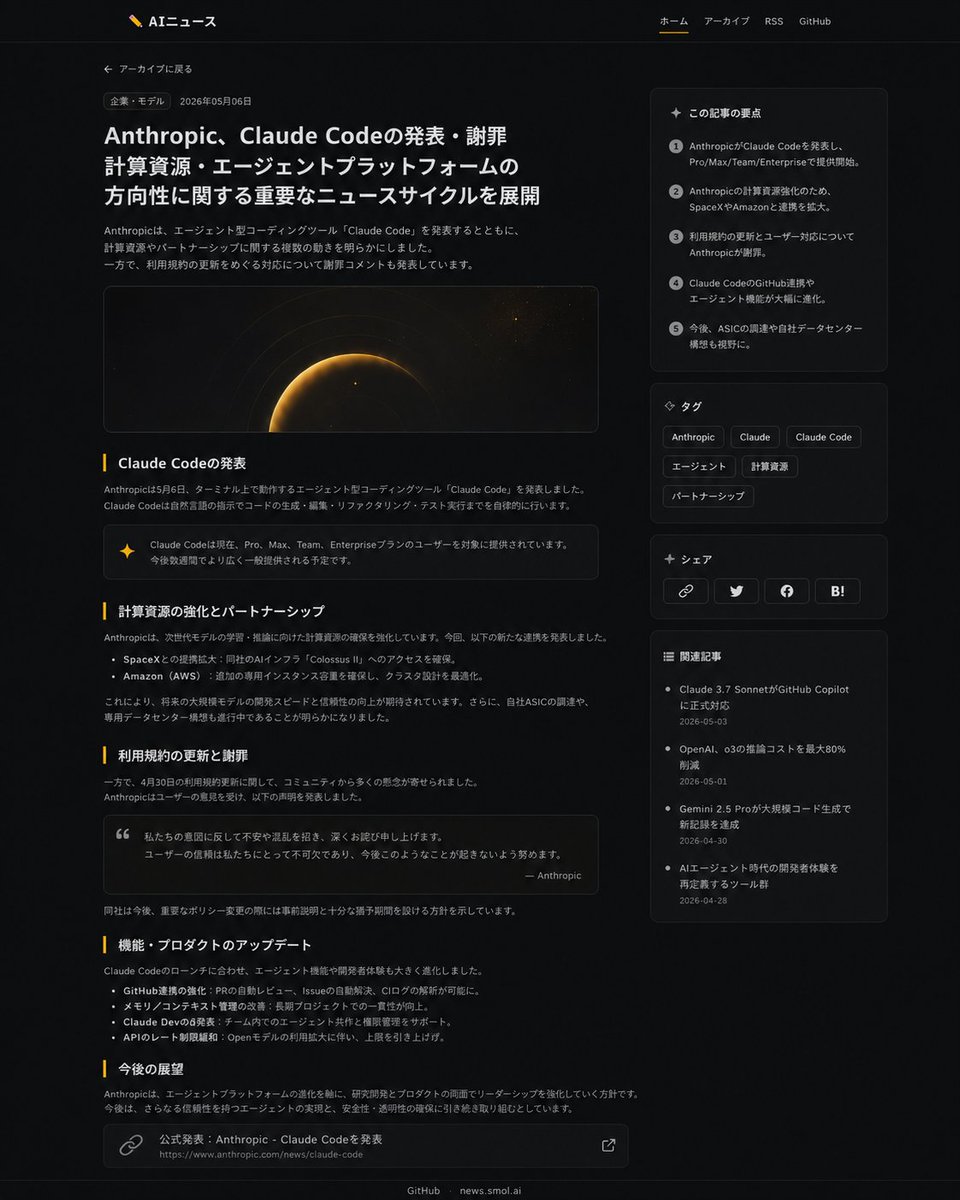
Using REFERENCE_1 as the source article page and REFERENCE_0 as the site branding/navigation reference, redesign the article page into a polished modern dark-mode news UI while preserving the Japanese article topic and overall site identity. Keep the header with logo and nav links, but make the article layout wider and more editorial: add a back-to-archive link, a category pill, date, large bold headline, short intro paragraph, and a wide cinematic hero image with a dark space/planet glow motif. Reformat the article body into clear sections with exactly 5 visible section headings: 「Claude Codeの発表」, 「計算資源の強化とパートナーシップ」, 「利用規約の更新と謝罪」, 「機能・プロダクトのアップデート」, and 「今後の展望」. Add inline UI enhancements including one highlighted note/callout box, one quote box, bullet lists, and a bottom source-link card. Add a right sidebar containing exactly 4 stacked cards: 1) 「この記事の要点」 with 5 numbered summary points, 2) 「タグ」 with 6 tag chips labeled Anthropic, Claude, Claude Code, エージェント, 計算資源, パートナーシップ, 3) 「シェア」 with 4 share buttons/icons for link, Twitter/X, Facebook, and Hatena Bookmark, and 4) 「関連記事」 with 4 related article links and dates. Use subtle borders, rounded cards, muted gray text, amber accent lines, and generous spacing; keep the footer links GitHub and news.smol.ai.
Example output
Graphic DesignUi Interface
How to use this prompt
- 1. Copy the full prompt text above.
- 2. Paste it into your image model — Midjourney, DALL·E, Stable Diffusion, or GPT Image.
- 3. Replace the subject, style or lighting words with your own to adapt it.
- 4. Adjust aspect ratio and steps in your tool; the prompt itself is tool-neutral.
- 5. Iterate on one variable at a time so you can tell which change mattered.