Minimalist Slot Attribution Ads
E-commerce prompt · by RoseKhlifa · published 2026-06-09
Prompt
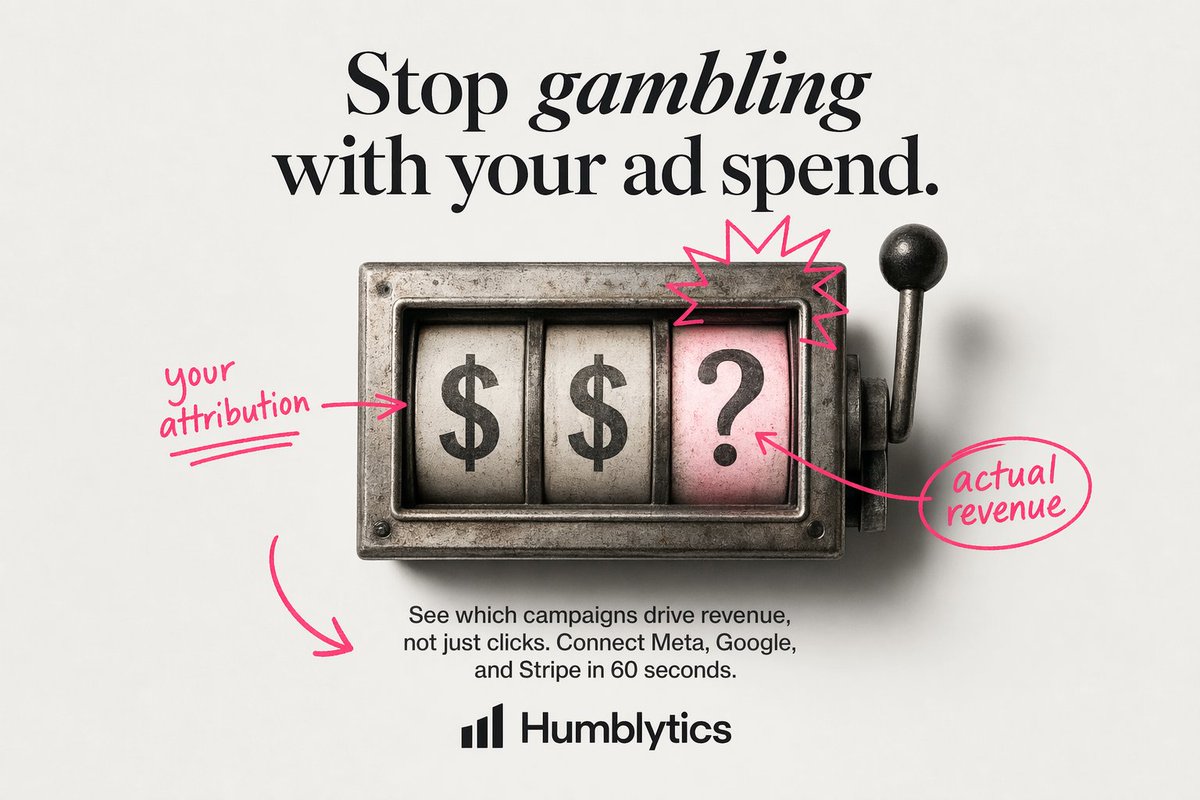
Create a clean minimalist static ad on an off-white light gray studio background with a centered editorial layout. At the top, place a large luxury-fashion-style serif headline in black reading {argument name="headline text" default="Stop gambling with your ad spend."}, with the word "gambling" set in italic serif for emphasis. In the middle, show a vintage metal slot-machine window viewed straight on, slightly weathered and realistic, with 3 vertical reels inside a rectangular steel housing and a lever with a black knob on the right side. The 3 reels must display, from left to right, "$", "$", and "?". Make the rightmost reel background pale pink while the first 2 reels are aged white. Add a hand-drawn neon-pink annotation style over the image: 1 arrow-and-note on the left pointing to the first reel reading {argument name="left annotation" default="your attribution"}, 1 starburst scribble above the pink question-mark reel, 1 arrow from the question-mark reel to a circled note on the right reading {argument name="right annotation" default="actual revenue"}, and 1 large curved arrow in the lower left pointing toward the body copy area. Below the slot machine, center a short sans-serif paragraph in black reading {argument name="body text" default="See which campaigns drive revenue, not just clicks. Connect Meta, Google, and Stripe in 60 seconds."}. At the bottom center, place a simple black analytics-style bar logo icon followed by the bold sans-serif brand name {argument name="brand name" default="Humblytics"}. Use strong text fidelity, polished product-ad composition, soft studio shadows, restrained palette of black, steel gray, off-white, and hot pink, and a modern direct-response ad aesthetic.Example output
E-Commerce Marketing
How to use this prompt
- 1. Copy the full prompt text above.
- 2. Paste it into your image model — Midjourney, DALL·E, Stable Diffusion, or GPT Image.
- 3. Replace the subject, style or lighting words with your own to adapt it.
- 4. Adjust aspect ratio and steps in your tool; the prompt itself is tool-neutral.
- 5. Iterate on one variable at a time so you can tell which change mattered.