Student lounge renovation
Other prompt · by RoseKhlifa · published 2026-06-09
Prompt
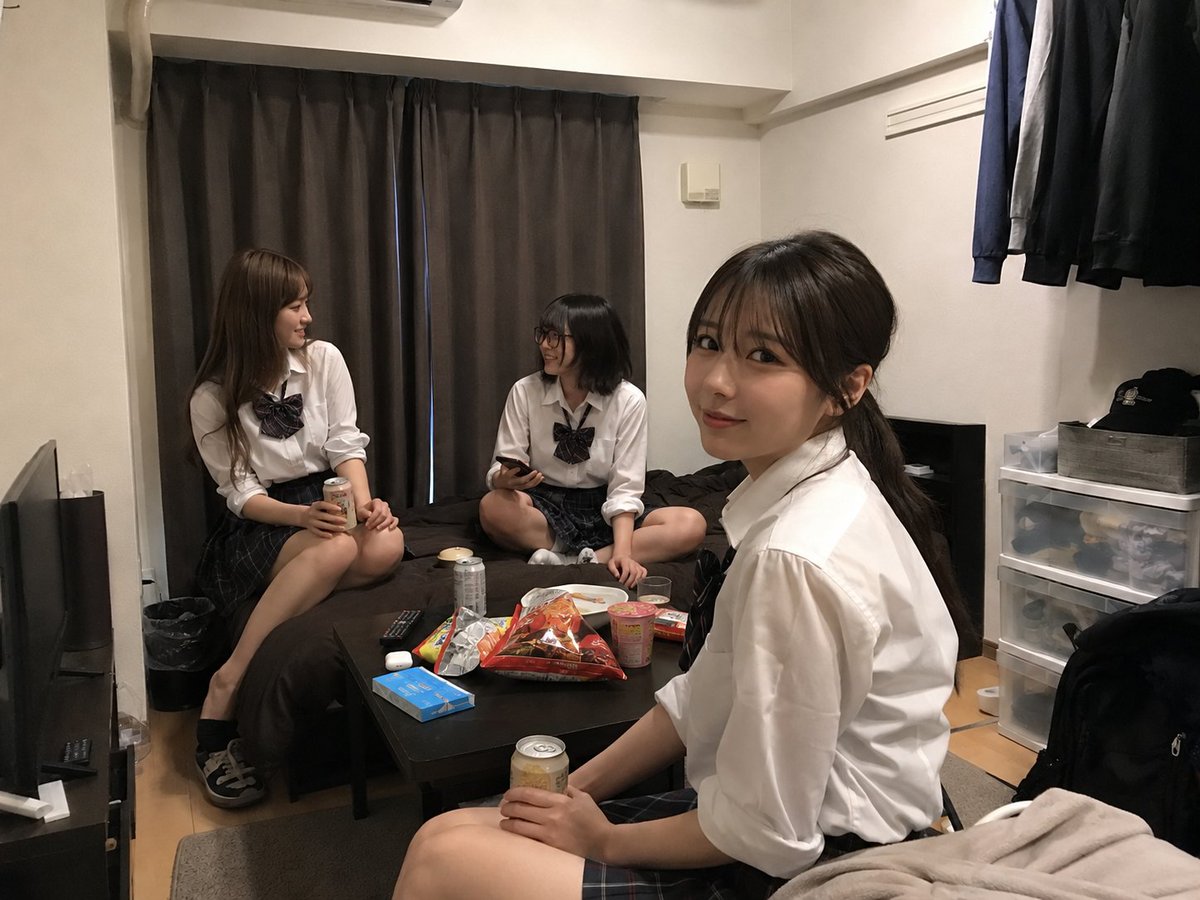
Using REFERENCE_0 as the room base, create a natural realistic photo as if this room has become a casual hangout for {argument name="number of students" default="three"} {argument name="student type" default="20-year-old female college students"}. Keep the room layout, camera angle, furniture, curtains, bed, table, storage drawers, hanging clothes, lighting, and lived-in atmosphere from the uploaded room photo unchanged as much as possible.

Add exactly 3 people: one sitting on the left edge of the bed holding a canned drink, one sitting cross-legged on the bed near the center holding a smartphone, and one in the foreground on the right sitting near the table/bed edge holding a canned drink and turned toward the others. Dress them in coordinated {argument name="outfit style" default="Japanese school-uniform-inspired white shirts with dark plaid skirts and ribbon ties"}. Make them look relaxed, chatting, and comfortable in the room; vary their hairstyles and poses naturally.

Add casual hangout clutter on the table: exactly 7 visible snack/drink items — 2 canned drinks, 1 large open snack bag, 1 cup noodle container, 1 plate or small dish, 1 colorful snack package, and 1 small boxed item — while preserving existing objects such as the remote, blue box, and earbuds where plausible. Keep the result photorealistic, unposed, and like a spontaneous phone snapshot. Faces may be anonymized/blurred for privacy. Do not make it look like a studio shoot, illustration, cosplay poster, or heavily edited composite.
Example output
Other
How to use this prompt
- 1. Copy the full prompt text above.
- 2. Paste it into your image model — Midjourney, DALL·E, Stable Diffusion, or GPT Image.
- 3. Replace the subject, style or lighting words with your own to adapt it.
- 4. Adjust aspect ratio and steps in your tool; the prompt itself is tool-neutral.
- 5. Iterate on one variable at a time so you can tell which change mattered.